Radio Codes by Manufacturer ⚡
Select your radio manufacturer for instant code generation
- Instant delivery
- VIN not required
- Works with factory radios
- From $9.99










What Is a Radio Code & Why It's Needed?
A radio code, also called an anti-theft code or security code, is a unique PIN used to unlock your factory-installed car stereo after power has been interrupted.
This security feature helps protect the radio against theft. If the unit is disconnected from the battery or removed from the vehicle, the system automatically locks and asks for the correct code before it can be used again.
Your factory radio may request the code after:
- A battery replacement or battery disconnect
- A dead or drained battery
- A fuse replacement or electrical repair
- Installing a used or replacement radio
- A factory reset or infotainment software reset
- Power loss during vehicle servicing or diagnostics
Most factory radios display messages such as CODE, ENTER CODE, SAFE or LOCKED when the anti-theft system is activated.
The unlock code is linked to the radio itself - usually through the serial number - not the vehicle VIN. That's why retrieving the correct serial number is the most important step before generating the code.
Radio Unlock Codes by Manufacturer
FindRadioCode provides instant unlock codes for the most common radio manufacturers and factory radio platforms.
Whether your unit is made by Harman, Panasonic, Aptiv (Delphi), Continental, Becker, Blaupunkt or another supported manufacturer, our lookup system is built to help you retrieve the correct unlock code quickly and securely.
Car Brands & Radio Manufacturers
Each manufacturer ships radios for a different set of car brands. Pick the manufacturer that matches your radio, or jump straight to your car brand.
How can I find the code for my radio?
If you have not lost the code yet, check these places first - many vehicles ship with the code written down somewhere in the car:
- Glovebox - many manufacturers ship a small sticker labelled "Anti-theft unlock code".
- Owner's manual - often handwritten on the inside cover.
- Code card - a slip of paper inside the original purchase pack.
- Service records - dealers sometimes write the code into the maintenance log.
- Old paperwork - previous owners often leave the code in the document folder.
- Dealer paperwork - the original window-sticker pack sometimes lists it.
Lost Your Radio Code? Here's How to Get It Back
| Dealer | Find Radio Code | Free / DIY | |
|---|---|---|---|
| Speed | Same-day to several days | Instant | Highly variable |
| Paperwork | Proof of ownership + VIN | None | None |
| Reliability | Official but slow | Verified DB, refund if not | Unreliable - wrong code can lock the unit |
| Price | $120-$200 | From $9.99 | $0 if you find it - otherwise $0 wasted |
Free options exist - check the glovebox first - but they only help if the code was written down. For a lost code, the serial-based lookup is the fastest reliable path.
How to Find Your Radio Serial Number
On the unit label (most common)
- Carefully pull the head unit out of the dashboard - many require radio removal keys or plastic trim tools. See our step-by-step radio removal guide for photos and tools needed.
- Look for a sticker on the top, side or rear of the chassis labelled
Serial,S/Nor near a barcode. - The serial is 8-14 characters of letters and digits - copy it exactly, including prefixes.
On screen (selected radios)
- Some modern units reveal the serial through a hidden menu - common combos are
1 + 6,2 + 5orINFO + MENUheld while powering on. Full button sequences in our on-screen serial guide for Porsche / Honda / Ford and the Uconnect screen serial guide. - If nothing appears, fall back to physical removal.
- Honda and Acura units use a different on-screen method - see our Honda / Acura serial number guide.
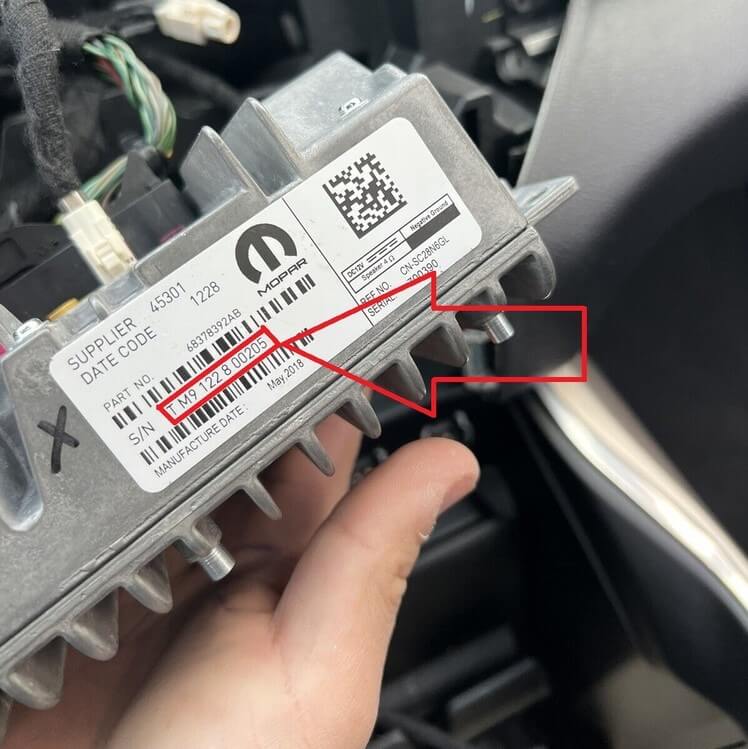
Radio extraction with removal keys - the serial label sits on the top or side of the chassis.
Real serial number examples
A handful of real factory radio serials from different brands and capture methods - use these as a sanity check before submitting.
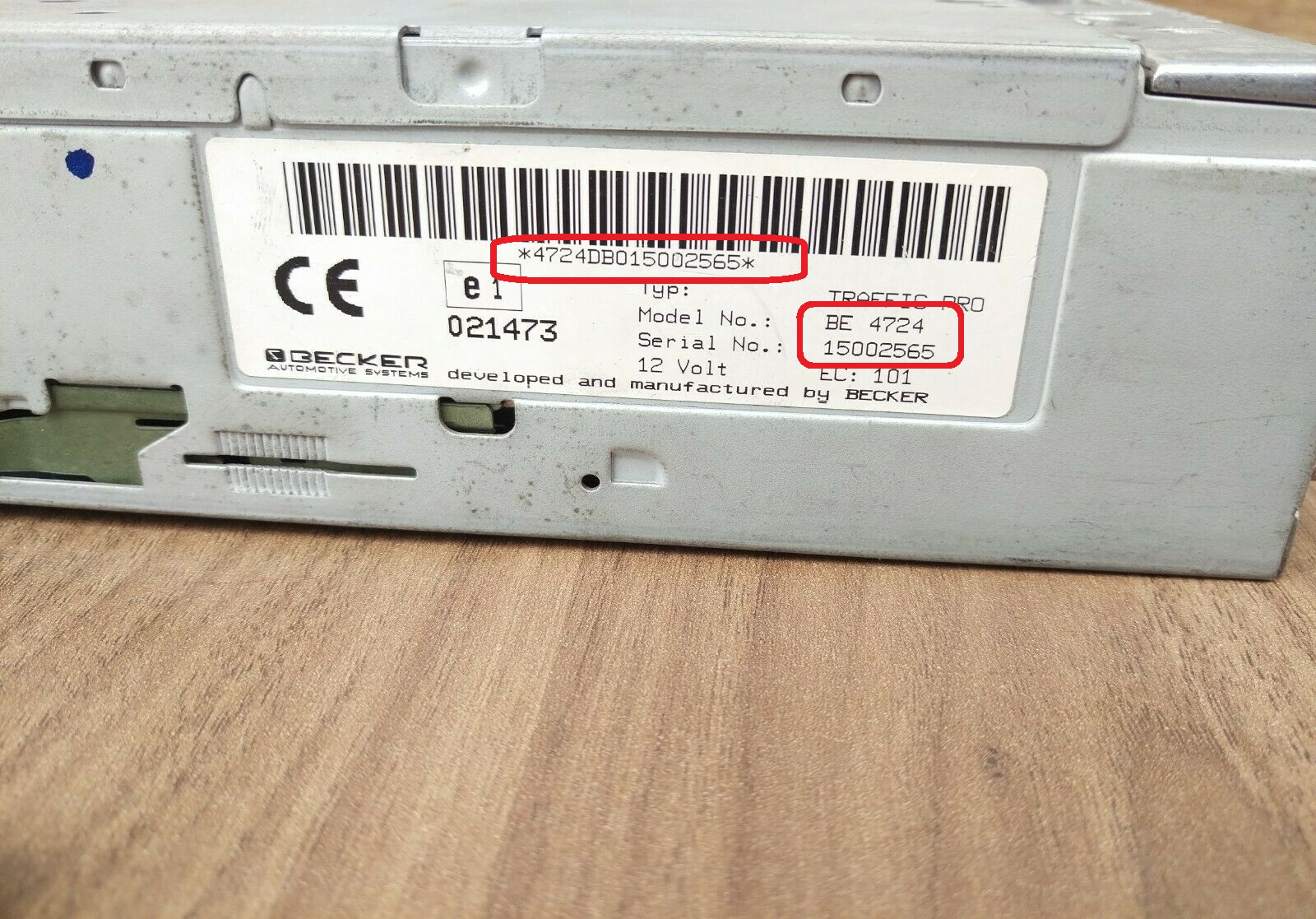
Label on chassis
Becker Traffic Pro - BE4724
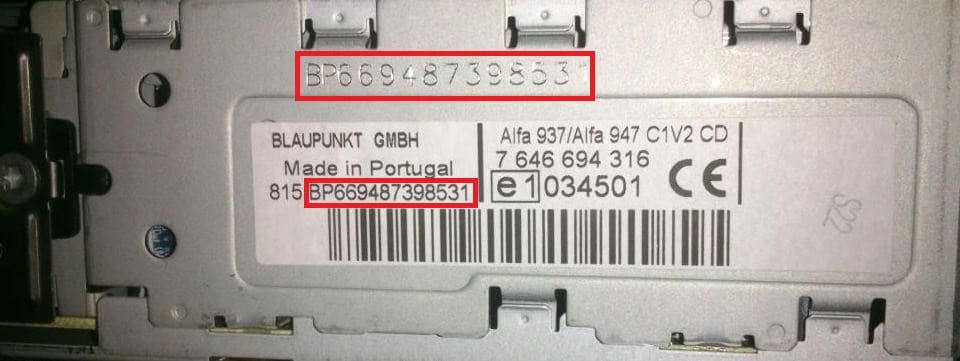
Label on chassis
Blaupunkt - BP6694 (Alfa / Lancia / Fiat)

On screen
Ford M-serial via hidden menu
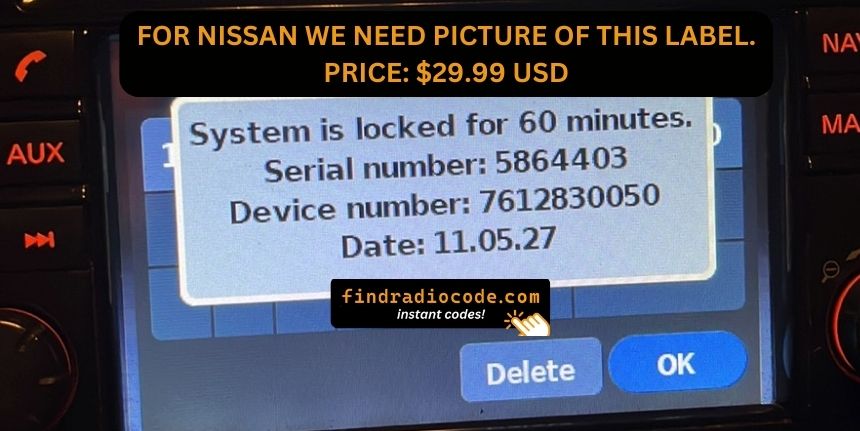
On screen
Nissan LCN infotainment display
Where is the serial on my specific radio?
Pick your manufacturer to see the exact label location and any on-screen retrieval method.
How to Enter the Radio Code
- Power on the radio - the display should read
CODE,ENTER CODE,SAFEor flashing digits. - Use the preset buttons (1-4 or 1-5) or the on-screen keypad to enter each digit of the code.
- Confirm with OK, Enter, Seek, the Tune knob or by holding the AS / preset key - the manufacturer page explains the exact button for your family.
- Wait - the unit either unlocks or shows
WAITif the code was wrong.
Delivery Speed & Process
Submit
Enter your radio serial number and email.
Pay
Secure checkout - no account needed.
Receive
Code appears on screen and in your inbox.
Unlock
Follow the entry steps and your radio is back.
Most orders are automated and instant. Rare manual lookups finish within 1 hour and never longer than 24 hours.
Quick delivery questions
Our Guarantee & Refund Policy
Every order is covered by a 100% money-back guarantee. The exact steps are below.
How FindRadioCode Works
You enter the radio serial number, we look it up in our verified database, and you receive the matching unlock code - usually within seconds of completing payment. No dealer visit, no VIN, no paperwork.
Behind the scenes our lookup covers thousands of factory radio variants across Harman, Panasonic, Aptiv (Delphi), Continental, Becker, Blaupunkt, Bosch, Visteon, Sony, Philips, VDO and more. If your radio is in the database the code is instant; if it falls into the small slice that needs manual verification it still arrives the same day.
Everything is backed by a 100% money-back guarantee - so the worst case is that the code does not work, you send a short video, and you get a refund.
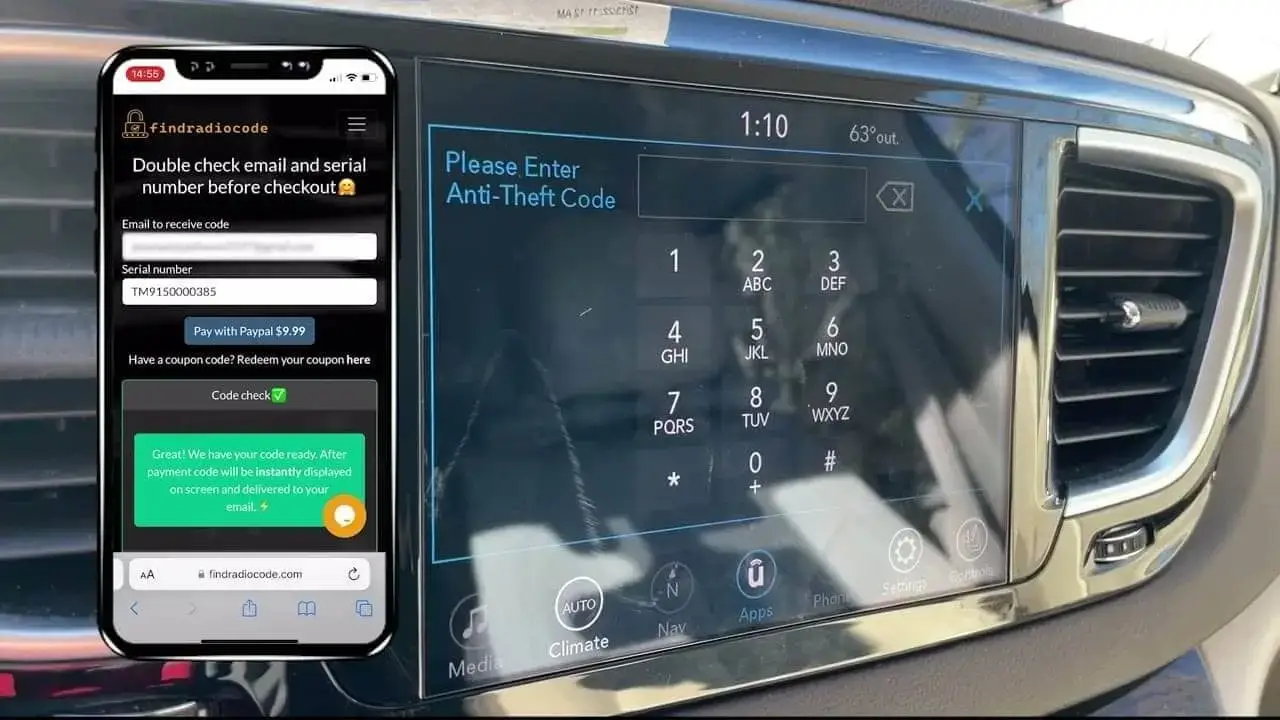
Watch a real customer use the service start to finish.
Trusted Radio Code Solution
Codes delivered
Success rate
Available
Average rating
Unbelievable!!! it really works. I have been fighting with the dealership to give me my Radio Code and they were telling me the only way was paying $345. So I am def thankful for the money I was going...
Yasmin - Jeep
Fast accurate service. The radio code worked the first time I entered it. The website was easy to find and easy to navigate. I am happy to have my radio working so fast. The Chrysler dealer wanted $20...
Norm B. - Dodge
Easy and fast way to get a code for my radio based on the serial number. Received code in email quickly after ordering it. Worked first time I entered it! Nice not to have to go to manufacturer or a...
Michael - Dodge