Get Your Radio Serial Number from the Screen - Zero Disassembly
Step-by-step instructions to retrieve your radio serial number directly from the display - no tools, no removal, no risk.
May 15, 2025 Updated: November 3, 2025
Jump to Your Brand
Why You Need the Serial Number
If your car radio is locked and asking for a code, you need the radio's serial number to generate the correct unlock code. Most people assume this means removing the radio from the dashboard - but that is not always the case.
Many vehicles from Porsche, Ford, Honda/Acura, and Chrysler/Dodge/Jeep allow you to retrieve the serial number directly from the radio display using simple button combinations or hidden menus.
Porsche: Show the Serial Number on the Screen
Already have your serial number? Get your Porsche radio code instantly →
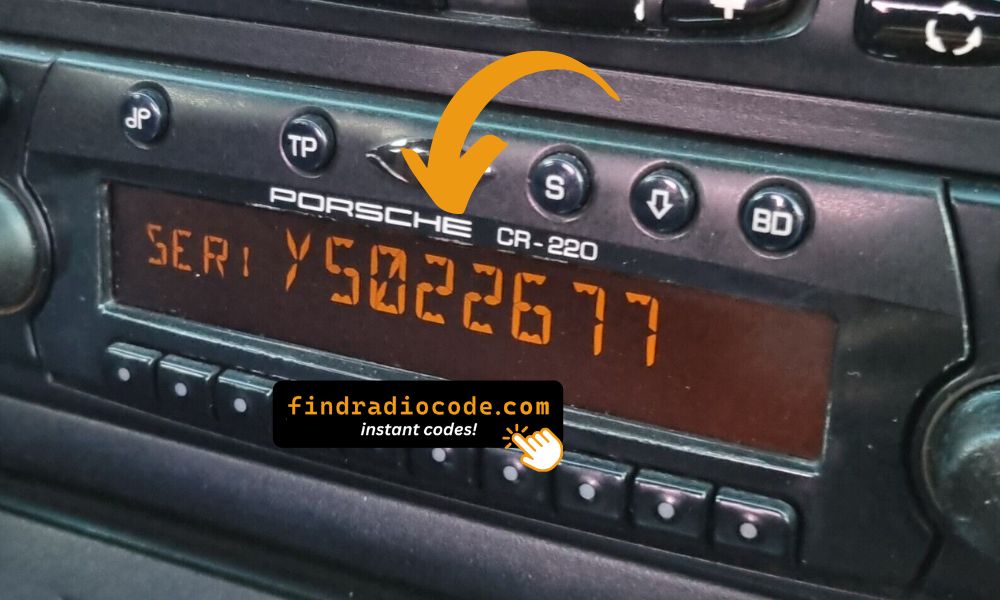
Porsche CR-220 / CDR-220
- Turn the radio OFF.
- Press and hold the TP button for approximately 10 seconds.
- Turn the radio ON - "Becker 1" appears on the display.
- Rotate the right knob to show the model number, then continue rotating to display the serial number.
- Write down the full serial number (including all letters and digits).
Porsche CR-210
- Press the TONE button, then press 8 and 0 at the same time - "Becker" appears on the display.
- Press the station up arrow (right side) until "PR-VERS" (program version) appears.
- Press one of the numbered buttons under the display - the model number is shown.
- Press the station up arrow again until "SERIAL N" is displayed.
- Press the numbered button again to reveal your full serial number.
Porsche Traffic Pro (Becker)
- Make sure the unit is in radio mode (Service Menu access starts here).
- Press NAV and key 10 simultaneously to enter the Service Menu.
- Use Nxt, Prv, or the right knob to scroll through the menu entries.
- Rotate the knob until the serial number appears on the display.
- Press END to exit the Service Menu.
Ford: Display the Serial Number with Button Combos
Already have your serial number? Get your Ford radio code instantly →
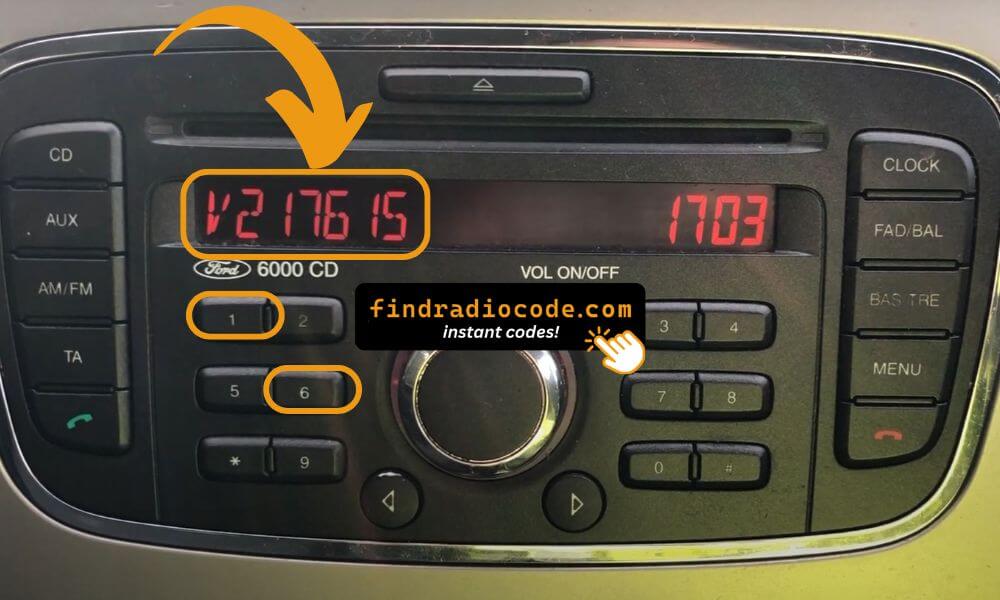
Ford 6000CD (Buttons 1 & 6)
- Turn the radio ON.
- Press and hold preset buttons 1 and 6 simultaneously.
- Keep holding for approximately 3-5 seconds until the display changes.
- The serial number will scroll across the display.
- On some models, press button 5 or ENTER to confirm and view additional serial details.
V123456 or M123123).
Ford 6000CD MK2
- Turn the radio ON.
- Press and hold preset buttons 1 and 6 simultaneously.
- When the display changes, press # (hash) or preset 5 to confirm.
- The serial number will appear on the screen.
Ford 4500 RDS E-O-N
- Turn the radio ON.
- Press and hold preset buttons 2 and 6 at the same time.
- Hold for 3-5 seconds until the serial number appears (typical format
M123123). - If button 5 does not work to confirm, try the TA button instead.
Ford Sony MP3
- Turn the radio ON.
- Press and hold preset buttons 1 and 6 simultaneously.
- The serial scrolls across the display - it may look like
V404077,SOCD6X8V404077, orFDC2005M136827. - Hold the center button for about 3 seconds to confirm and lock the serial display.
Ford Travelpilot EX, NX, FX
- On the right side of the radio there is a small pull-out label (e.g.
BP62034 596031) - pull it out to read the serial directly. - Alternatively, press and hold SELECT on the right turn-wheel to enter the device info menu.
- Navigate through the menu to find device or system information.
- If the on-screen method does not work, the pull-out label on the right side of the housing is the reliable alternative.
Honda / Acura: Get the Radio Serial from the Display
Already have your serial number? Get your Honda radio code or Acura radio code instantly.
Method A: Without Navigation System
- Turn the ignition ON.
- If "CODE" appears on the radio, turn the radio OFF first.
- Press and hold preset buttons 1 and 6 while turning the radio back ON.
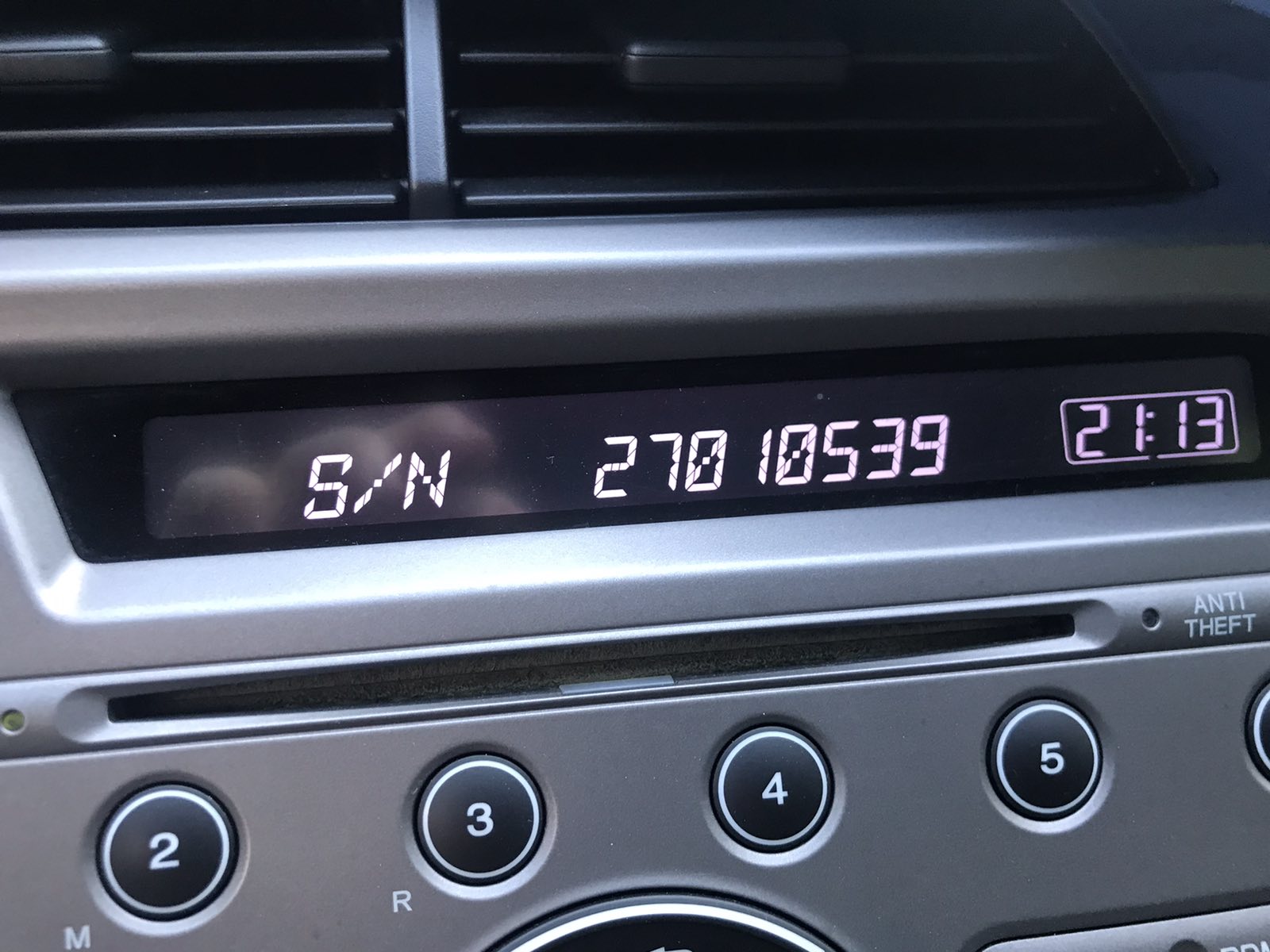
- A 10-digit serial number will appear (e.g.
U1234 L5678or just12345678). - Take a photo or write it down - you will need it to generate your unlock code.
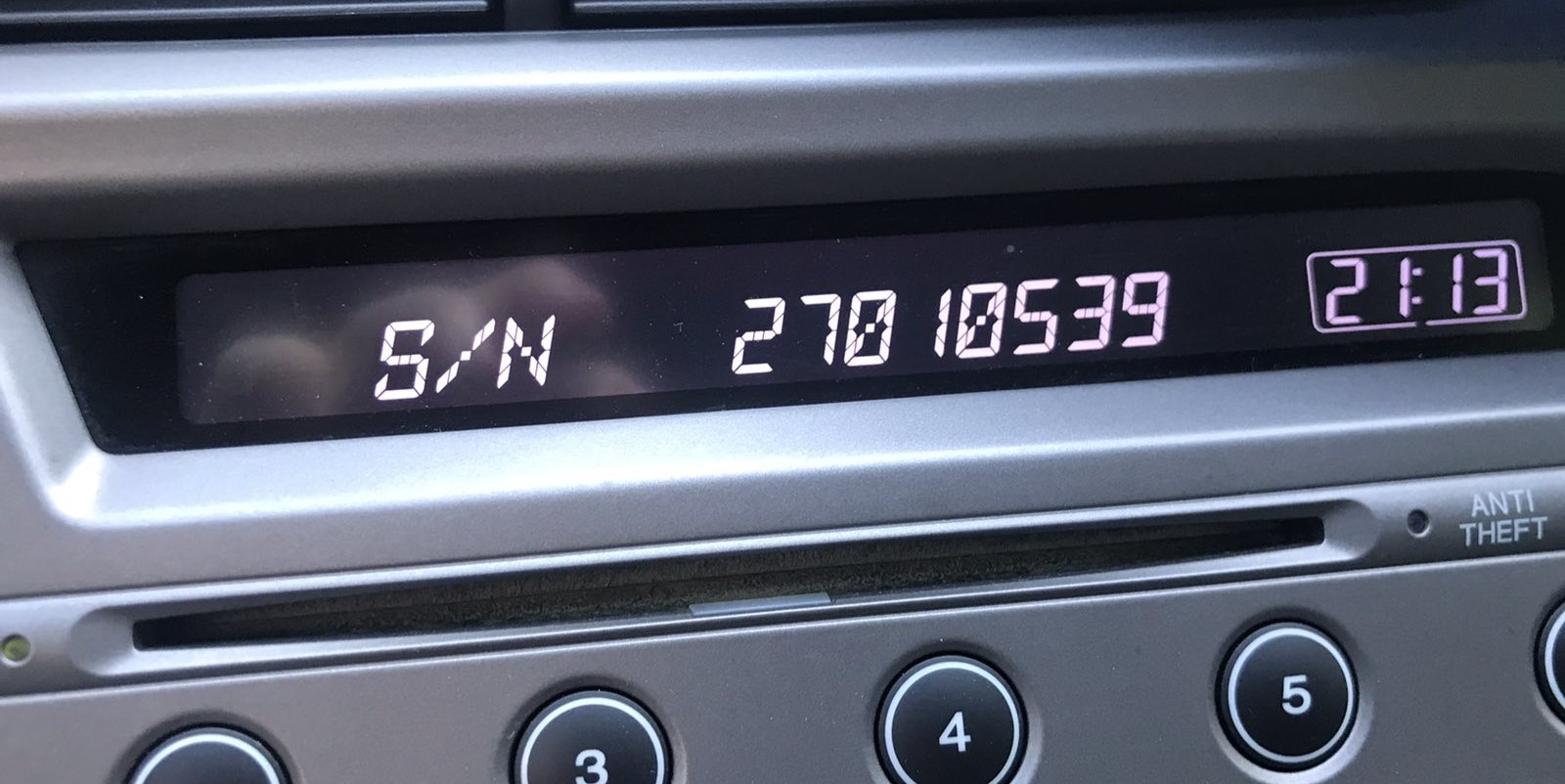
Hold buttons 1 and 6, then power on the radio to display the serial.
U1234 L5678. You need all 10 digits to generate the correct code.
With Navigation (2003-2008)
- Turn the ignition to ACC (position I).
- Power on the audio unit - if "CODE" is not displayed, remove the backup fuse for 1 minute, then retry.
- Turn the audio unit OFF.
- Press and hold the top halves of SEEK/SKIP and CH/DISC simultaneously, then press PWR/VOL.
- Two screens will appear: U#### (first 4 digits) and L#### (last 4 digits).
- Combine both sets for the full 8-digit serial number (ignore the U and L letters).
With Navigation (2008-2019) & Acura TSX (2004-2008)
- Press and hold CANCEL, MAP, and MENU simultaneously.
- Using the joystick, navigate to: Detail Information (not Self Diagnostic) → Unit Check → ECU Information.
- The screen displays the Serial No.
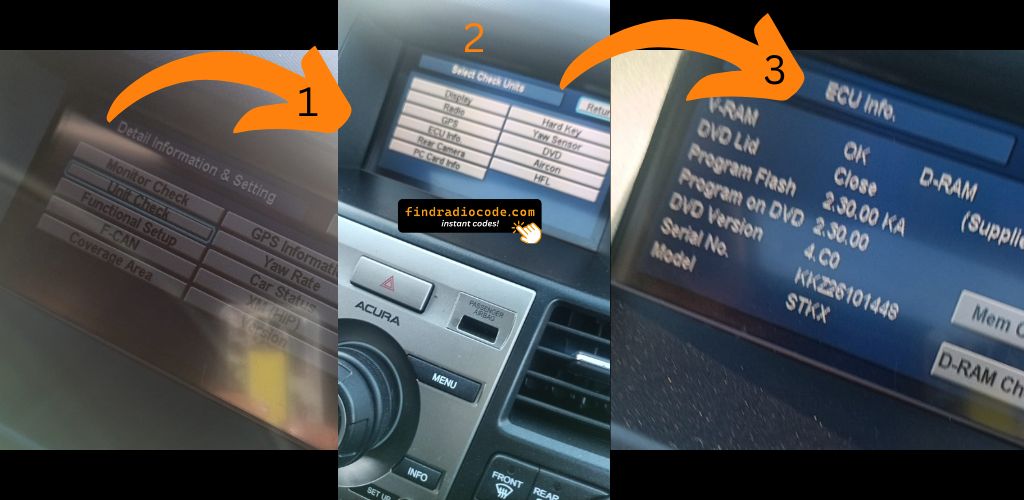
Method 2: Physical Label Alternative
If none of the on-screen methods work for your Honda or Acura, the serial number is also printed on a sticker label on the radio unit itself. This requires removing the radio from the dashboard. Check the top or side of the radio housing for a white label with a barcode and the serial number printed below it.
Chrysler / Dodge / Jeep: Uconnect Dealer Mode Access
Already have your serial number? Get your Chrysler, Dodge, Jeep or Uconnect radio code instantly.
Uconnect 8.4" (Older Models)
Two button combinations work on older Uconnect 8.4 systems - try Option 1 first, and fall back to Option 2 if it does not respond.
Option 1: Up + Down + Front Defrost
- Simultaneously hold the up, down, and front defrost buttons for approximately 5 seconds until "Dealer Mode" appears.
- Navigate: System Information → Radio Part Information → Serial Number.
Option 2: Climate Control Arrows
- Simultaneously press and hold both climate control arrows (red temperature-up and blue temperature-down) for about 5 seconds to enter the "Engineering Menu".
- Navigate: System Information → Radio Part Information → Serial Number.
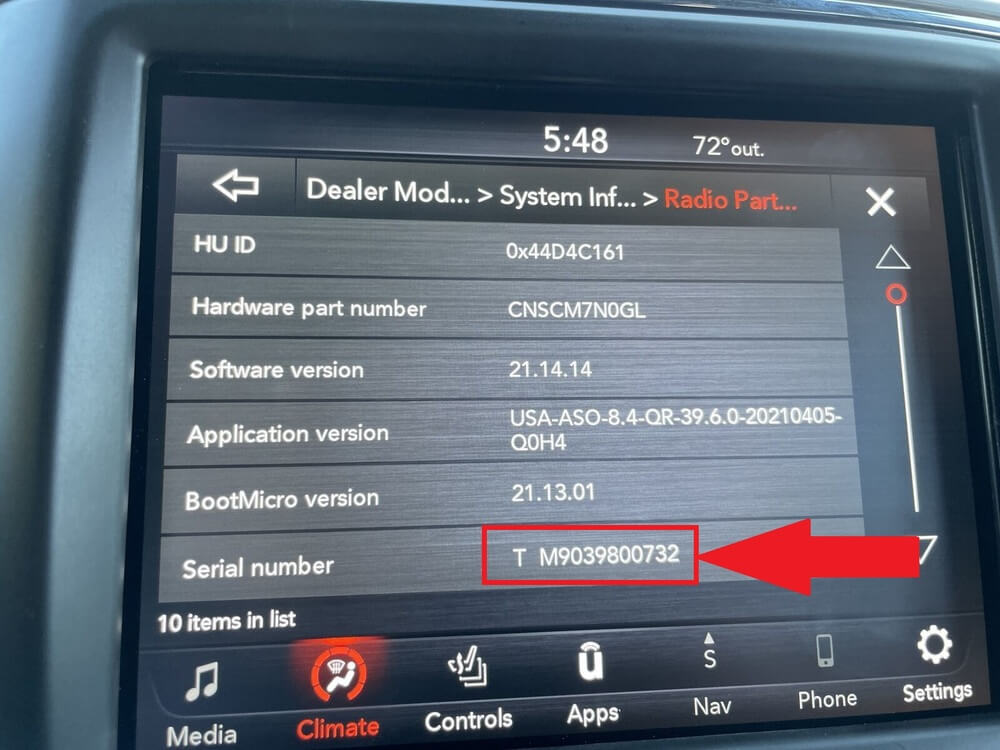
Uconnect Dealer Mode showing the serial number on screen.
Uconnect 8.4" NEW (2019+)
- Turn the ignition to ON.
- Firmly press the bottom-left and bottom-right edges of the screen bezel (the physical frame below the touchscreen buttons - not the screen itself) simultaneously.
- Hold both edges until Dealer Mode activates.
- Navigate: System Information → Radio Part Information → Serial Number.
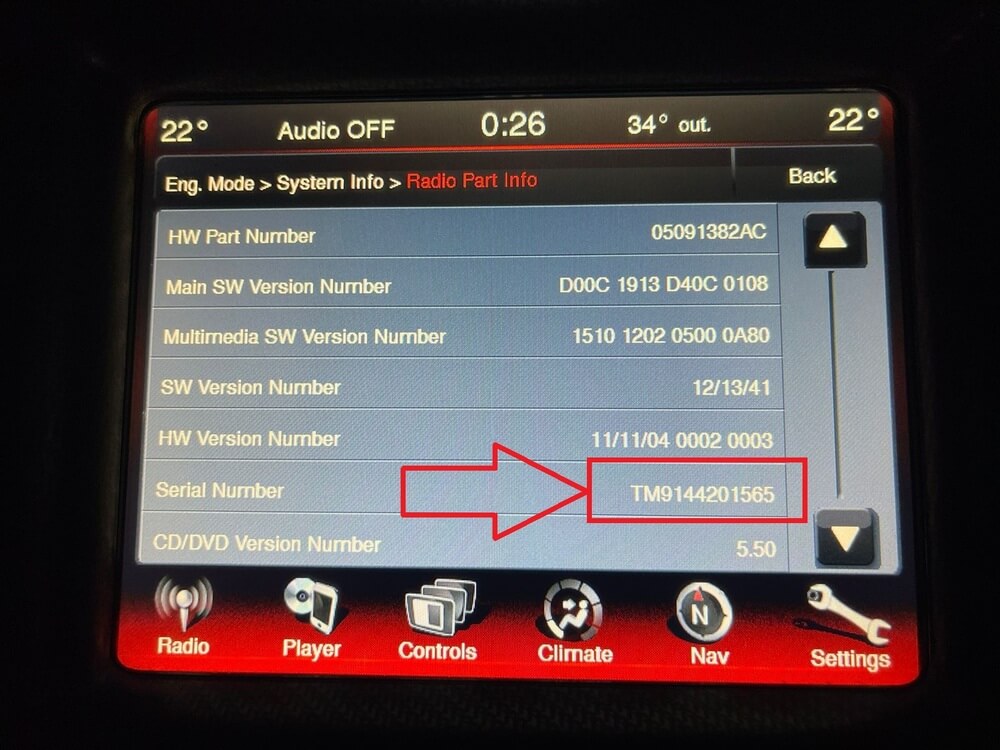
Uconnect 8.4 NEW - serial number visible in dealer mode.
Uconnect 12"
- Turn the ignition to ON.
- Press the bottom-left and bottom-right bezel edges (beneath the screen) simultaneously and hold until Dealer Mode launches.
- Navigate: System Information → Radio Part Information → Serial Number.
Uconnect 7" Engineering Mode (Jeep Compass 2018+)
- Press and hold both climate arrows (red up and blue down on the driver's side) simultaneously for 5 seconds to access the "Engineering Menu".
- Navigate: System Information → Target Main Data → Serial Number.
Alternative: Physical Label Location
If none of the on-screen methods work for your specific vehicle, the serial number is always available on a sticker label attached directly to the radio unit.
- The label is usually on the top, side, or back of the radio housing.
- It typically includes a barcode and the serial number printed in plain text.
- Accessing it requires removing the radio from the dashboard using trim removal tools.
- For Uconnect removal guides, see our dedicated removal tutorial.
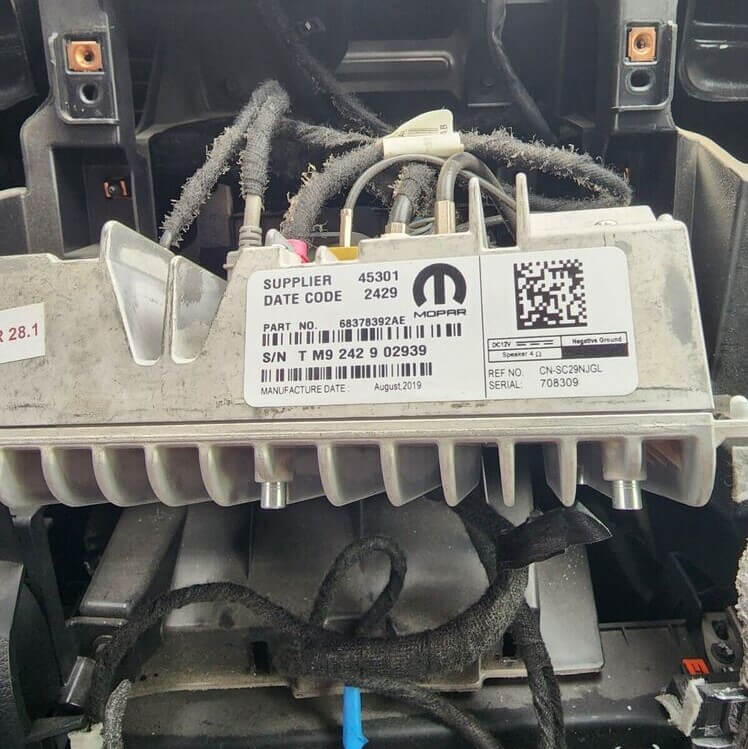
Serial number sticker on the radio housing.
Unlock Your Radio in Seconds
Got your serial number? Enter it on our homepage and receive your radio unlock code instantly - delivered on screen and to your email.
Get Your Radio Code NowSupports Porsche, Ford, Honda, Acura, Chrysler, Dodge, Jeep, and more.
Frequently Asked Questions
Related Articles
Honda/Acura Serial Guide
Complete guide to finding your Honda or Acura radio serial number - all models and years covered.
Read MoreUconnect Removal Guide
Step-by-step video guides for removing Uconnect radios from Chrysler, Dodge, Jeep, and Ram vehicles.
Read MoreUconnect Screen Serial Number
Detailed walkthrough for getting your Uconnect serial number from the screen using Dealer Mode.
Read More