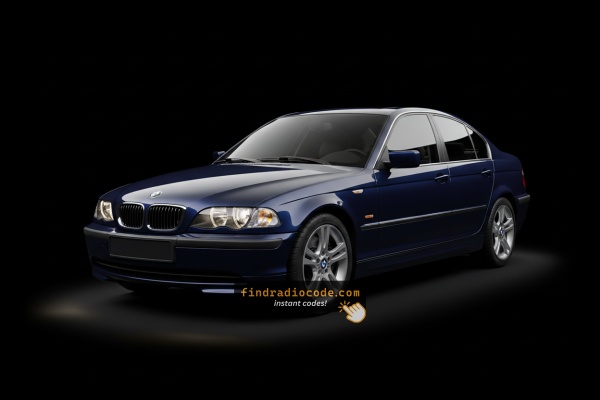
BMW E46's Usual Unlock Code Triggers
Dealing with a locked BMW E46 radio? In most cases, it was caused by one of these well-known events.
Radio Asking for Code After Battery Replacement
After a battery change, your radio may show a CODE message.
This happens because the radio loses power, which triggers the anti-theft system.
More Situations That Can Lock Your E46's Radio
- Replacing the head unit with a used one requires the code for that particular radio.
- A fuse replacement can reset the radio and prompt for a code.
- Even a brief jump-start can activate the anti-theft lock.
- Electrical repairs may trigger the anti-theft mode on some BMW E46 units.
Before Paying for Help
There is a chance your BMW E46 radio code is already somewhere in your car.
Before spending money, take a few minutes check the places below - you might be surprised.
Look Inside the Owner's Manual
- In your maintenance booklet from the previous owner.
- In the spare wheel area, on a radio label.
- Inside the glovebox, sometimes on a label.
- On the head unit itself, if it was removed before.
- In the radio manual, often on a code card.
Requesting It from the Dealer
A BMW dealer can usually look up the radio code using your E46's VIN.
In most cases, you need to visit or contact them and show vehicle documents.
When it is verified, they can generate the original unlock code for your radio.
Possible Drawbacks:
- You usually need to book an appointment and bring vehicle paperwork.
- Some older BMW E46 radios may require manual lookup.
- The process can take days depending on the model and database.
- Dealers often ask for payment for the lookup service and it can cost more than 100$.
Finding the S/N on a E46's Radio
To retrieve the correct security code, you first need the radio serial number.
Depending on your radio model, you can display it on the radio screen or locate it on the unit.
You may see labels such as: S/N / SN / Serial / Serial Num. / Serial Number.
These are the easiest ways to locate it:
1. How to See the Serial Number on the E46 Screen
All radio units — Blaupunkt, Becker, and Bosch — require physical removal to read the serial. No button combination will display it on screen.
2. Find the S/N on the Radio Body
To find the serial number, you'll need to take out the head unit out.
- Start by turning off the vehicle and removing the trim panel.
- Next, unscrew the mounting bolts and pull the unit forward to check the label on the back of the radio. Be careful not to damage the connections.
- Write down the serial number carefully and come back to the website.
- Know that serial number and part number are not the same thing. You can find both of them on the sticker, but you only care for the serial.
Removing the BMW E46 Radio
The radio is typically secured by trim clips and screws. Remove the surrounding trim, unscrew the unit, and slide it out. The serial sticker is on the housing.
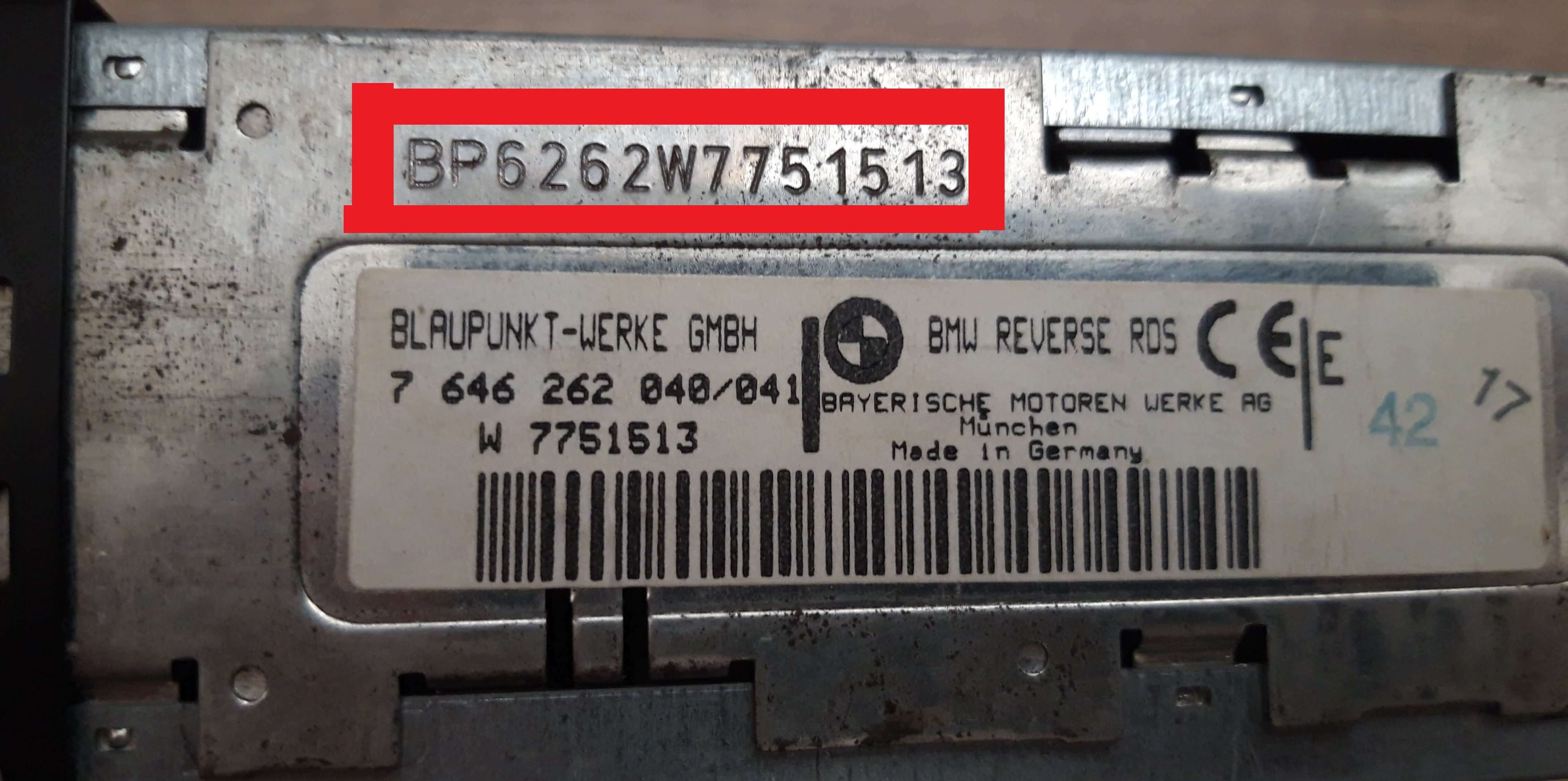
Example: BMW E46 serial number label location
Serial Number Formats You'll See on BMW E46
Your BMW E46 radio serial starts with BP (Blaupunkt, e.g. BP1234567), BE (Becker), or CM (Bosch). The serial is on a label on the radio housing — not visible without removal.
You Found the Corresponding Security Code. How Entering Works?
With your code ready, it's time to input it into the BMW E46's radio.
The locked radio will usually show a "CODE" prompt.
Use the built-in buttons or touch controls to select each number, then press OK to unlock the stereo.
If you make a mistake multiple times, you may cause the E46's head unit to block further attempts.
When this happens, the screen can display messages like "CODE ERR", "ERROR", or a blank screen.
To unlock the unit, you usually need to keep the ignition on for a shown waiting period or up to an hour before trying again.
Why Should You Use Our BMW E46 Radio Code Generator Service?
Our BMW E46 radio code lookup service retrieves the security code using the stereo serial.
Compared to dealership VIN lookup, this BMW E46 radio code generator is more convenient, doesn't require appointments, and costs less.
It's an easy way to restore access to your factory radio without leaving your home.
A Quick Comparison
- Some dealers require a visit to the service center, while FindRadioCode is fully remote.
- Dealer services often charge high fees, while FindRadioCode offers codes from 9.99 USD.
- Dealerships operate during weekdays, while FindRadioCode is available anytime.
- Dealer lookups often come with no guarantee, while FindRadioCode offers a 100% refund.
- Dealer lookup can take time, while our system delivers codes instantly 95% of times.